


THIS WEBSITE EXPLAINED
This is an introductory blog post to explain why I have created this website and what I will be posting on here in the future. I will go over the layout of this website and explain how you can find what you are looking for. Finally, I will explain the meaning of the different icons that are used for the project and blog post items on this website.
First of all, welcome to this website! I have created this website as a personal portfolio/blog to showcase some of the projects that I am working on and write about certain topics. If you are reading this you have already found the blog section of this website and likely also the homepage. I will dedicate a paragraph to each section of this website to explain what you can find there. If you are mostly interested in finding out more about me, you can go to the "about" section by clicking the link in the navigation bar at the top of the page.
Homepage
The homepage can be reached by clicking the "home" button in the navigation bar or by clicking the picture at the top left of the page. On this page you can find a short welcome message and a button that links to the projects page. At the bottom it highlights a specific project or blog post that I want to bring extra attention to. This highlighted item is styled like a large button just like all the other items (projects/blog posts) that can be found on the website. The top right of the page also has links to both my github and linkedin pages if you want to take a look at those. The footer once again shows the links to my github and linkedin pages. Both the header and footer are consistent throughout the entire website to make navigation as easy as possible.
Projects section
The projects page can be reached by clicking the "projects" button in the navigation or the button on the homepage. On this page you will find a list of all the projects that I am or have been working on. Each project is styled as a large button with an image, title and short description just like the highlighted item on the homepage. By clicking on one of these project buttons you will be taken to a page that explains more about that specific project. At the bottom of the page of a specific project you can also find two buttons. One of the buttons links to the projects github repository in case you want to take a look at the projects code while the other button links to either the project itself or a page on which you can download it. Not all projects will have these buttons as some might not be open source and others might not yet be finished.
Blog section
The blog page can be reached by clicking the "blog" button in the navigation bar. Just like the projects page, this page contains a list of clickable buttons that each represent a blog post. By clicking on one of these items you will be taken to the full blog post where you can read all about the topic that I am discussing in that post. It is likely that you have already clicked on such an item to get to this page.
About section
The about page can be reached by clicking the "about" button in the navigation bar. This page contains more information about me, my background and my skills. Besides all this information there are also multiple buttons. One of the buttons will download my resume for you in case you want to take a look at that. The remaining three buttons link to my github, linkedin and email respectively in case you want to get in touch with me.
Item icons
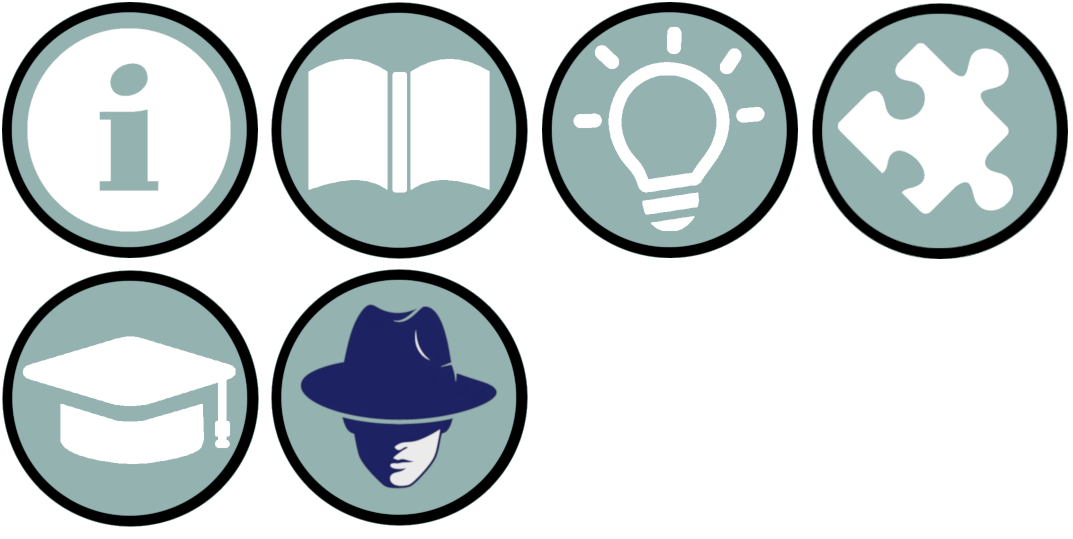
If you have already taken a look around this website you might have noticed that the project and blog post items have different icons next to their descriptions. These icons are there to give you a quick idea of what the subject or project is about. In the below image you can find an overview of the icons that I am or will be using on this website. Besides the icons shown below, some projects also have their logo shown as an image instead of one of these icons if that logo is available.
The information icon, which is also used for this blog post, can be found on blog posts about general information/announcements. The about section has also been given this icon as it contains general information about me specifically and how to contact me. The book icon is the general icon for blog posts that do not fit into any specific category. Blog posts with this icon can be about any topic that I find interesting and want to write about. The lightbulb icon is used for posts about ideas for future projects or improvements to existing projects. The puzzle icon is used for projects that are tools for developers, such as libraries or templates. The education icon is used for blog posts about educational topics, such as tutorials or explanations of certain concepts. The final icon is the placeholder logo for my project called "onderdekking". Projects that have such a (placeholder) logo will use that logo as their icon instead of one of the categorical icons mentioned above.
Hopefully this first blog post has helped you find everything that you were looking for. If you have any questions or suggestions, feel free to contact me through the about section. I will be posting new blog posts and projects on here in the future, so be sure to take a look here once in a while to stay up to date!